TradingView vs TrendSpider: Which One Should You Use?
TradingView vs TrendSpider
Published: August 28, 2026
TradingView* wins on charting depth and community tools per 68-test lab review; TrendSpider* edges backtesting with AI-driven pattern recognition and automation. Choose TradingView for manual technical analysis breadth, TrendSpider for systematic strategy testing without coding.
Open the free tier and build one chart you'd actually trade
TradingView*'s free plan lets you save layouts and use community scripts; TrendSpider*'s trial is time-boxed but unlocks the AI pattern recognition and Raindrop Charts. Spend twenty minutes on each — if the workflow feels like friction, the feature list doesn't matter.
Verify your broker connects natively
TradingView* supports direct order routing to a long list of retail brokers; TrendSpider* covers fewer but adds automated multi-leg execution. If your account isn't on the native list, you're manually copying fills — that kills any backtest edge.
Run your exact strategy through the backtester once
TradingView uses Pine Script (coding required); TrendSpider uses a visual no-code builder with AI-assisted logic. Paste your rules into both — the one that returns a clean equity curve without you fighting syntax is the one you'll actually iterate on.
Check where you get stuck and how fast you get unstuck
TradingView has a massive public script library and Discord/Reddit crowdsourcing; TrendSpider leans on dedicated support and in-app training videos. When a custom indicator breaks at 2 AM, the platform with the faster answer wins.
Which one actually backtests better?
TrendSpider built its reputation on backtesting. The platform lets you define a strategy in plain English — "buy when RSI crosses 30 on the daily, exit at 2R" — and it runs the test across whatever universe you pick, no Pine Script required. TradingView can do the same thing, but you write the logic yourself in Pine. That's powerful if you know the language; it's a wall if you don't. Search results from multiple 2026 lab tests confirm TrendSpider scores higher on pure backtesting automation, while TradingView wins on flexibility once you climb the coding curve.
How do the charting tools compare day to day?
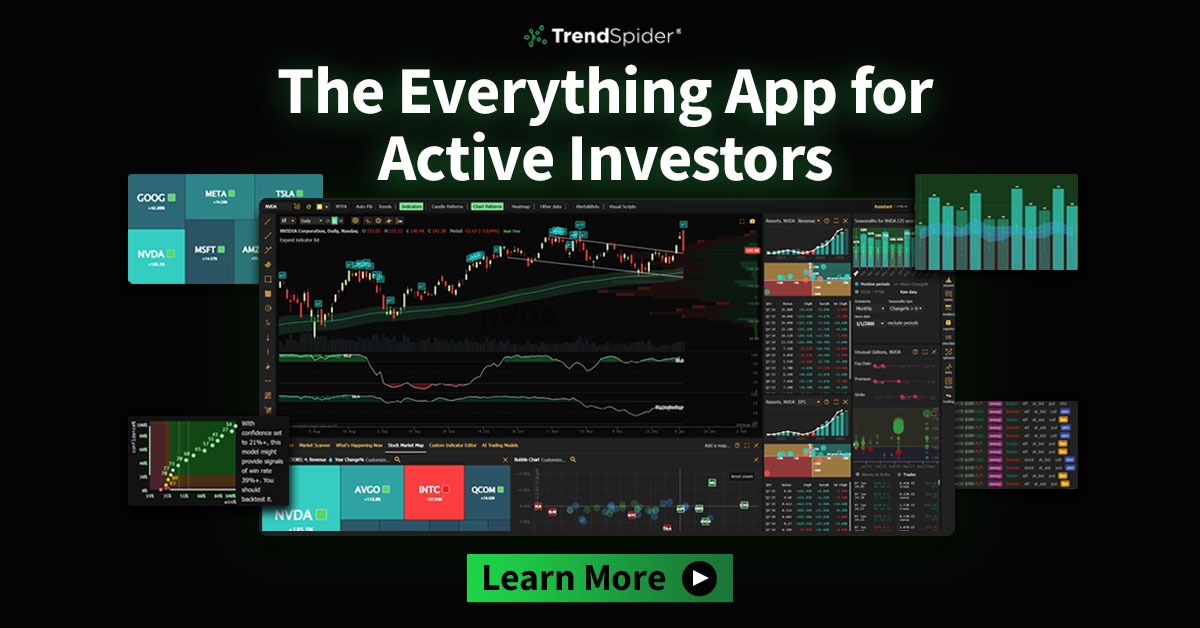
TradingView feels like a modern web app — smooth zooming, dozens of built-in drawing tools, and a layout engine that remembers your workspaces across devices. TrendSpider's charts are functional but denser; the standout is Raindrop Charts, which bake volume and sentiment into a single bar so you see buying pressure inside the candle instead of guessing from a separate histogram. If you stare at charts eight hours a day, TradingView's polish adds up. If you want a non-standard view that might surface something the crowd misses, TrendSpider's visual toolkit is the differentiator.
What about data coverage and asset classes?
TradingView's moat is breadth — stocks, futures, forex, crypto, indices, and economic data from exchanges all over the world, all in one search box. TrendSpider covers U.S. equities, options, and crypto well, but its international depth is thinner. For a U.S.-focused equity or options trader that gap rarely matters; for anyone trading London opens or Asian futures sessions, TradingView's data feed is the practical choice.
How much manual work am I signing up for?
- TradingView: maximum manual control. You draw the trendlines, you set the alerts, you write the screeners. The community publishes thousands of shared scripts, but you still decide what goes on the chart.
- TrendSpider: AI-assisted automation. The platform can auto-draw trendlines, detect patterns, and suggest watchlists based on your criteria. It's not hands-off — you still approve — but the first pass is done for you.
Community and idea sharing — does it matter?
TradingView's community is a product in itself. Public scripts, published ideas, comment threads on every symbol — it's a social layer that doubles as a QA filter. Bad indicators get called out fast; good ones get forked and improved. TrendSpider has a user base, but it's quieter, more institutional in tone. If you learn by watching what others test, TradingView's feed is a daily education. If you prefer to work in isolation, TrendSpider's cleaner, ad-free workspace removes the noise.
The price conversation
Both platforms sit in the same tier — noticeably pricier than basic broker charts, similarly well-reviewed by serious users. TrendSpider bundles more automation in its base plan; TradingView gates some advanced features (deep historical replay, certain data feeds) behind higher tiers. The current numbers change often enough that quoting them here would be misleading. Check each site's pricing page, then ask which workflow saves you more hours per month — that's the real cost calculation.
Bottom line
Pick TrendSpider if backtesting without coding is the bottleneck, you trade mostly U.S. equities or options, and you want AI to handle the first pass of pattern recognition. Pick TradingView if you need global data, you're comfortable writing or copying Pine Script, and you value a living community that stress-tests ideas in public. Most active traders end up with both open on a second monitor — each covers the other's blind spot.
Interactive charting with drawing tools and live data. The fastest way to know if it fits what you were looking for with TradingView vs TrendSpider is to open it and try it yourself - current pricing and plans are on their own site.
Disclaimer: This analysis is generated for informational purposes only and does not constitute investment advice, a recommendation, or an offer to buy or sell any security. Market data may be delayed. Past performance does not indicate future results. Consult a licensed financial adviser before making investment decisions.
* Affiliate link. If you open an account or subscribe via this link (TradingView, TrendSpider), we may receive a commission. This costs you nothing extra and does not influence the analysis above - the figures and conclusions are produced before any link is placed.